 DriveHub
SUPPORT / HOW TO
Review Finnish mileage files as payroll or bookkeeper
Agree the package, review its scope and record the payment or tax-return figure in the system that actually files it.
Updated
← All support answers01 / 03
Receive and review employees’ shared months
For Team setup open Settings → Work profile and follow the work-trip sharing guide. A payroll receiver who does not drive these cars can leave automatic tracking off. Agree each employee's rate policy, claim period and deadline before the first submission.
Ask drivers to review and submit their work month. Open the member's submitted month and inspect missing purposes, corrections and the period. Return a month with a clear comment when it needs work, then inspect the resubmission before approval. Team review is monthly; do not promise approval of each trip.
A code or demo state does not establish a live invitation or delivery. Confirm that each intended member can join and that the receiver actually sees the submitted month under their own Apple Account.
- Create the team and share its invitation through the intended channel.
- Confirm receipt of each member’s work month and return incomplete evidence.
- Review the corrected month and export the member files and overview for the agreed period.
02 / 03
Check the payer, amounts and privacy before payroll
For each employee check name, payer, period, claim number, vehicle, work routes and purposes. Reconcile the claim total and any per diems against the supporting journeys. If company policy exceeds the maximum, preserve the tax-free and taxable split shown in the claim or Team overview.
Use separate claims for different employers and vehicles. Check that private routes, private notes and the other employer's trips are absent from each payroll filing file. A full personal journal is not the normal employer handoff.
For a benefit car, request the private-kilometre and daily evidence payroll needs, and keep the taxable benefit separate from a reimbursement. Payroll must make the actual payment and earnings reporting; a DriveHub export is supporting evidence.
- Check each employee’s filing file and the Team overview against the same period.
- Return a discrepancy to the driver for correction in DriveHub and regenerate the files.
- Enter the accepted payment and benefit lines in payroll and retain the accepted supporting files.
03 / 03
Agree the accounting package by client type
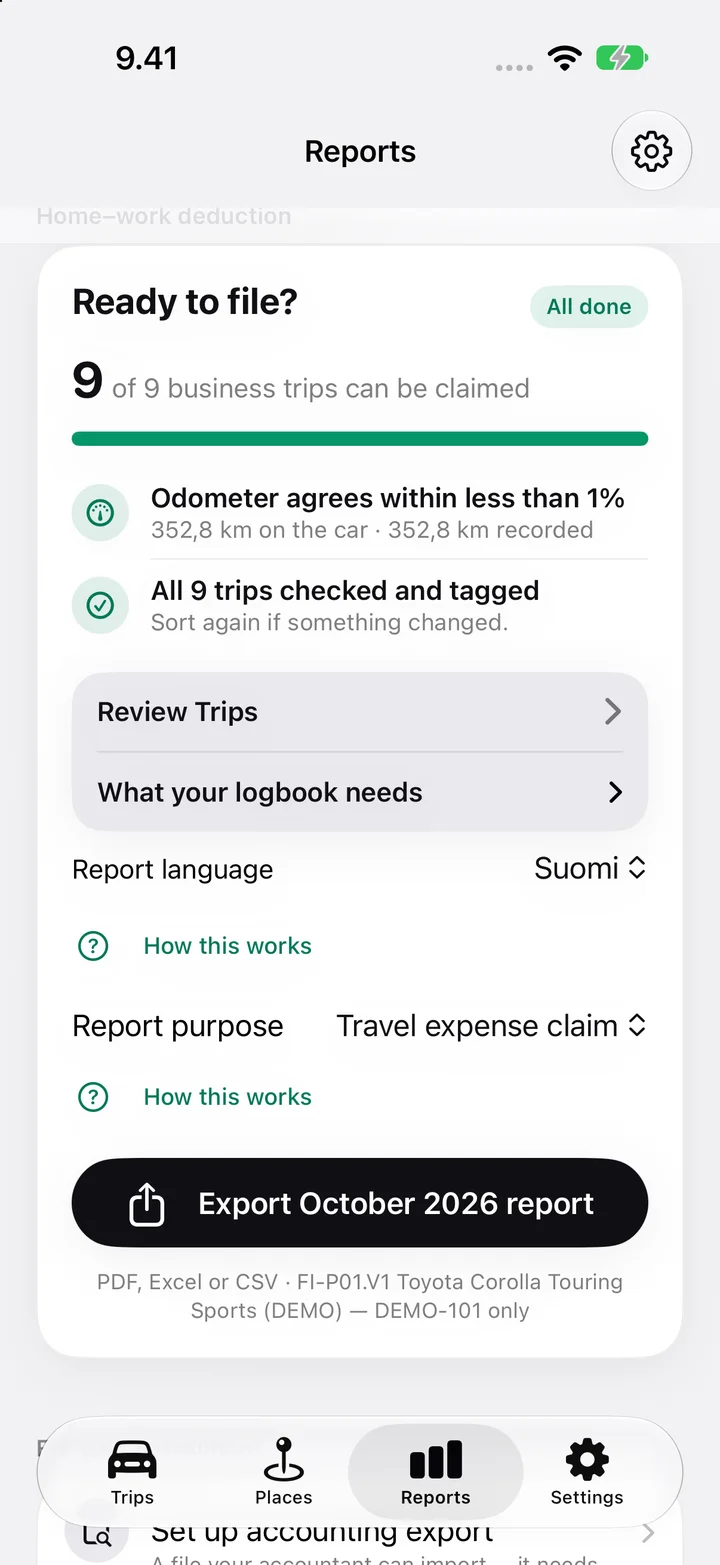
A bookkeeper can receive PDF, Excel and agreed accounting files without a DriveHub account. Agree the client name, period and vehicle treatment first. For an Oy, request the employee's claim, supporting per diems and any benefit-car evidence. For a sole trader’s private car, request annual mileage and costs already deducted for the additional deduction. For a business asset, request the private-use split and actual costs. A farmer needs the separately agreed farm-return package.
Check the year against dated odometer evidence, missing purposes and the car's recorded ownership. Reject a sole-trader additional deduction presented as an employee-payment voucher. A monthly sample is not evidence that the full accounting year is complete.
For Procountor or Netvisor, first use Set up accounting export with the bookkeeper's actual accounts, then export the format requested by the destination. A generated journal file does not prove an accepted live import. Check debit and credit lines and control totals in the destination before posting. If they do not balance, stop and resolve the difference with your bookkeeper.
- Agree the report package and document language with each client.
- Compare the received scope and totals, then request corrected source records where needed.
- Check any accounting import before posting and complete the tax return in the filing service.